Redesigning how Zelle users search for and add recipients
A unified search experience that consolidated a fragmented multi-page flow into a single entry point for finding and adding Zelle recipients.
IMPACT
59%
reduction in drop-offs
42%
decrease in average task duration
2
screens eliminated from the flow
OVERVIEW
Problem
Zelle's recipient selection split searching and adding across multiple disconnected screens, causing measurable drop-offs between pages.
Users
Wells Fargo Zelle customers searching for existing contacts or adding new recipients to send payments.
Primary goal
Reduce drop-offs and task duration in the recipient selection flow.
Secondary goals
Consolidate search and add into a single entry point. Remove unnecessary screens from the flow.
Constraints
Needed to work within EWS token infrastructure. Had to communicate dual search/add functionality without confusing users accustomed to the old toolbar pattern.
MY ROLE
Owned end-to-end content
Wrote all user-facing copy, including search bar labels, contextual help, inline guidance, and bottom sheet content.
Influenced flow structure
Partnered with product and design to consolidate search and add into a single screen. Worked with engineering on how the search bar could pull from both recent and device contacts simultaneously.
Aligned with EWS
Coordinated on token-based recipient name auto-population to bypass the manual add screen entirely.
RESEARCH
Flow audit
I evaluated how users moved between searching, browsing, and adding recipients, identifying where the flow introduced unnecessary navigation and what information users needed at each step to complete the task.
Key findings
Two things stood out. Users were forced to context-switch between pages for closely related tasks, like searching vs. browsing contacts. And the separate manual add screen created an additional step that interrupted flow for new recipients.
How this shaped my work
The findings pointed to a single entry point that could handle both search and add. The content strategy needed to signal this expanded functionality without over-explaining. The search bar label and contextual help had to do the work.
KEY DECISIONS
Consolidating search and add into a single entry point
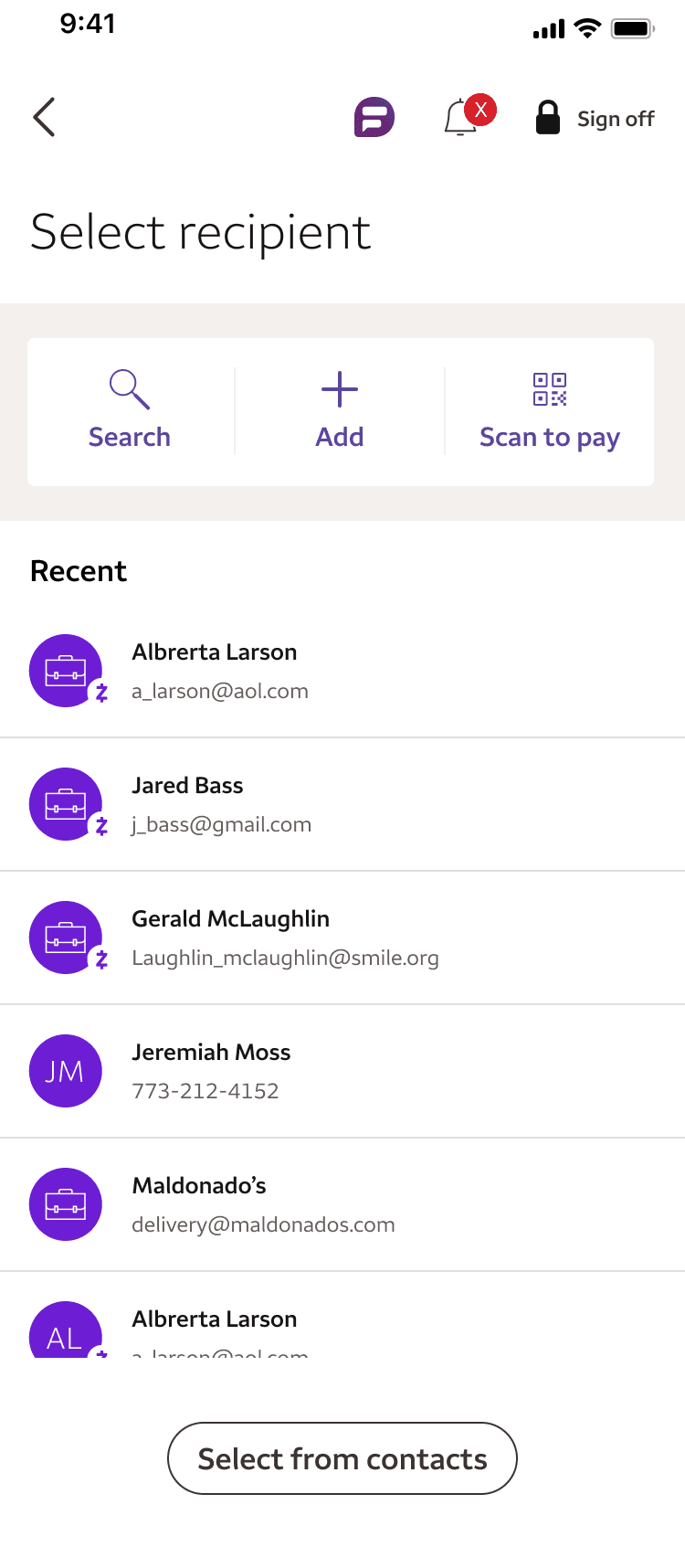
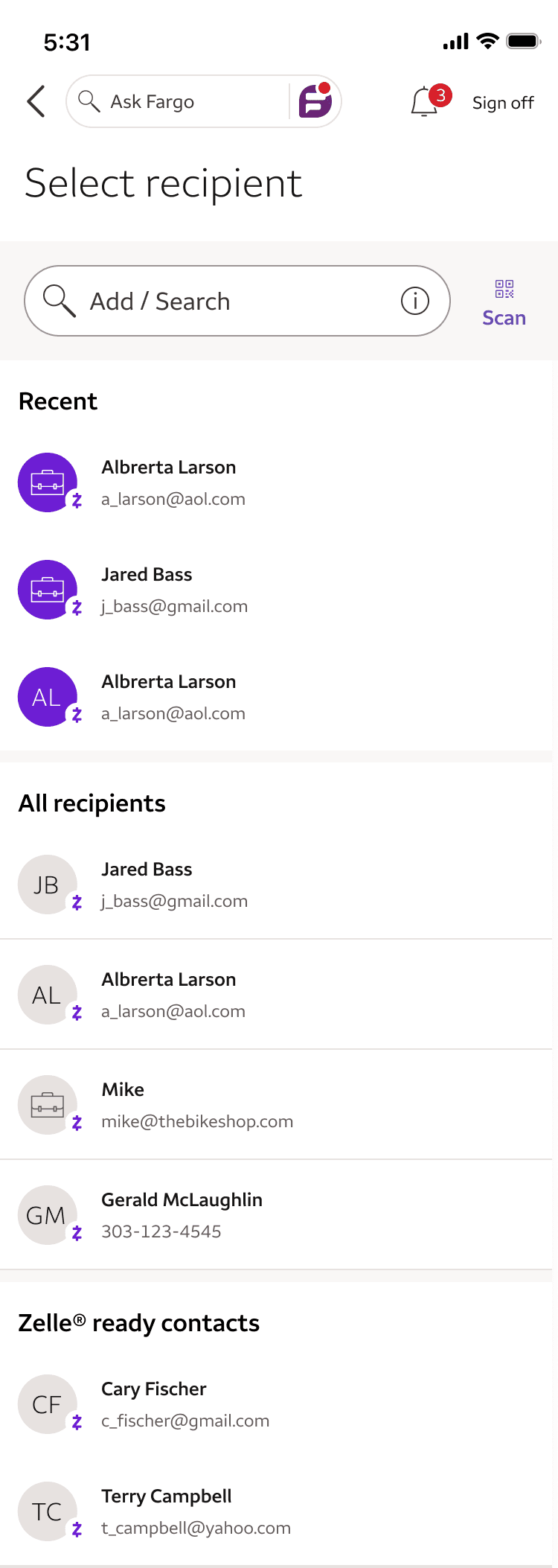
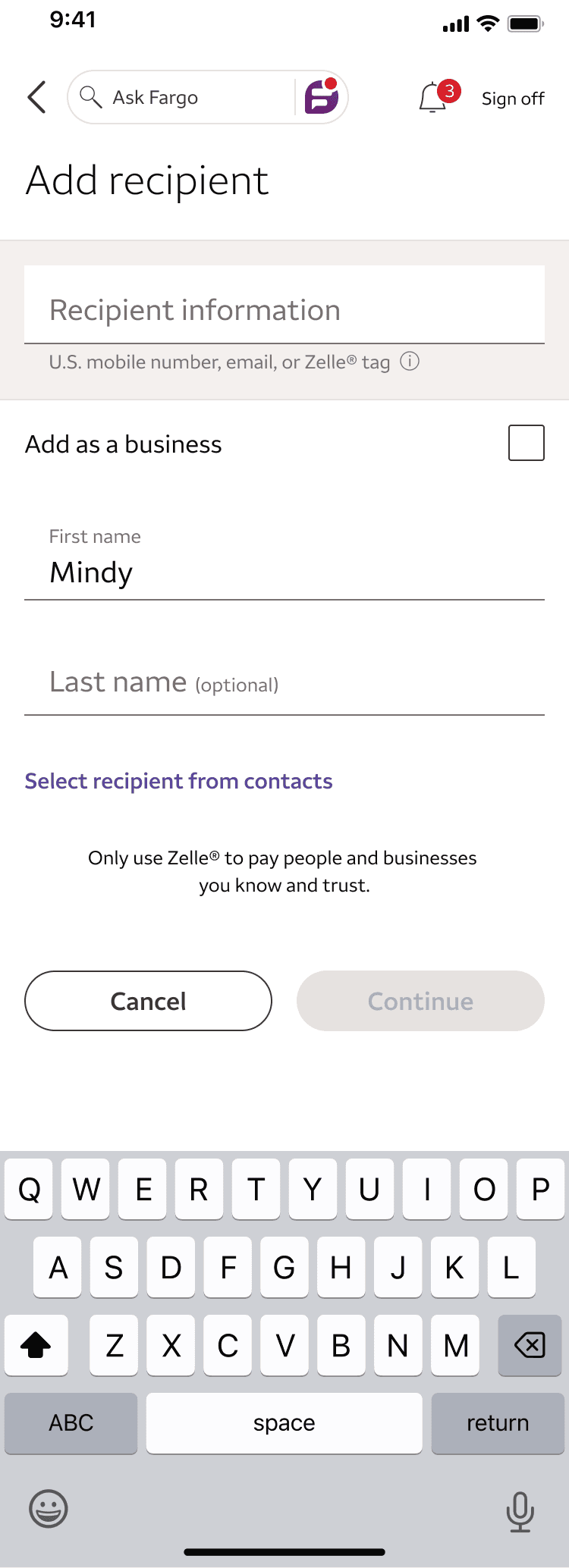
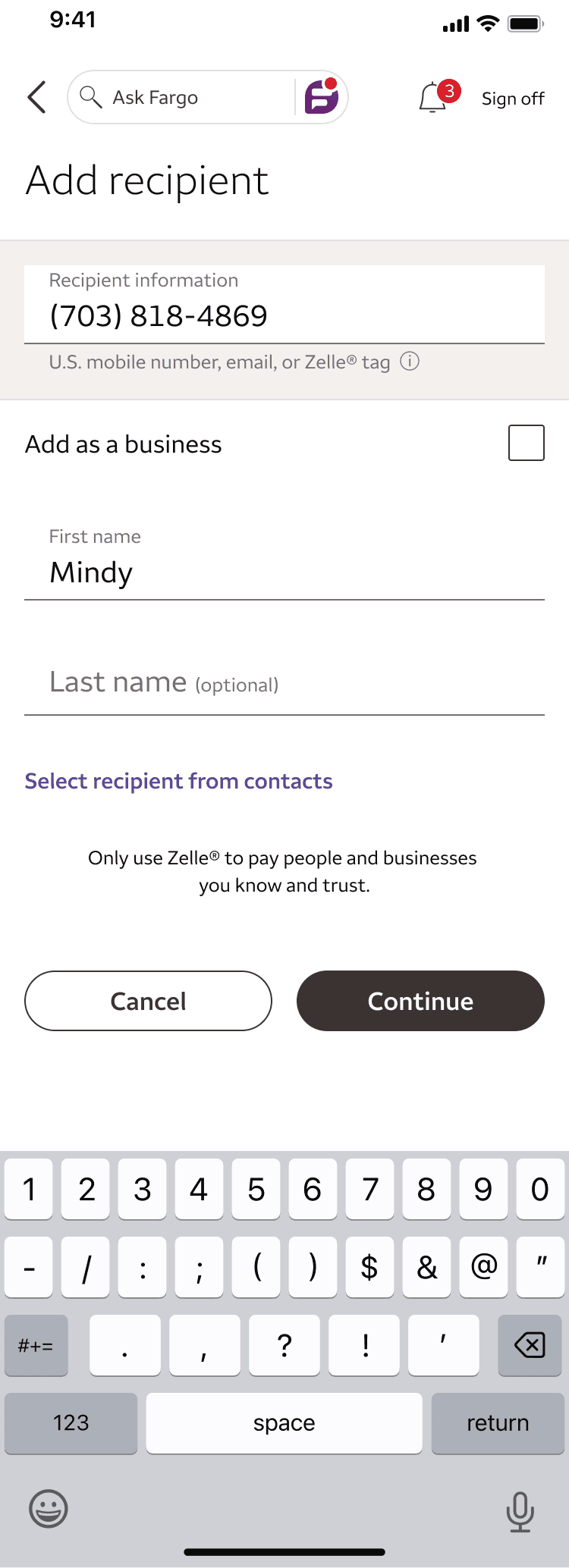
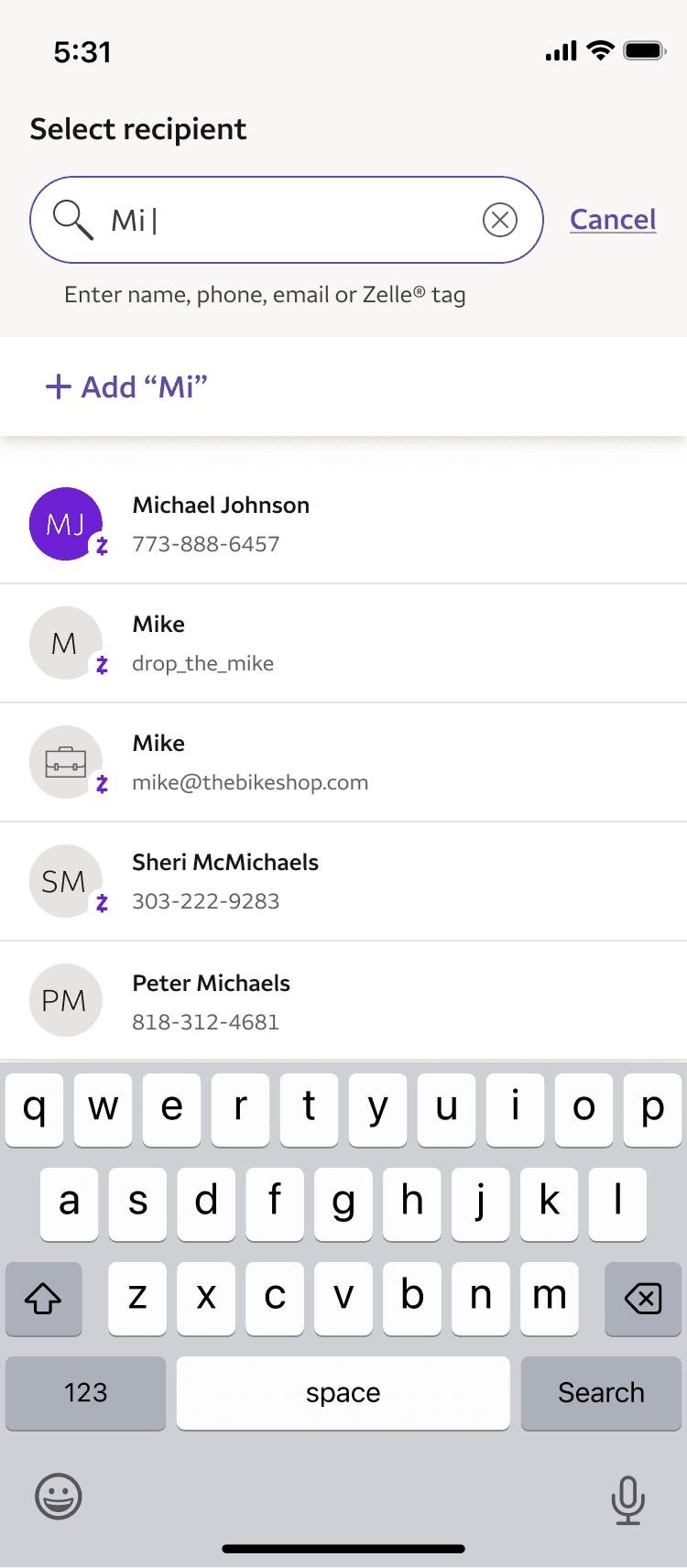
A three-icon toolbar treated searching, adding, and scanning as distinct actions when they were really part of the same task: getting to the person you want to pay. The redesign replaced the toolbar with a single search bar that pulls from recent and device contacts simultaneously and enables adding new recipients directly.
Crafting search bar language that communicates dual functionality
The search bar needed to signal that it handled both searching existing contacts and adding new recipients. Users associated the search icon with a single action. Now it was doing two things.
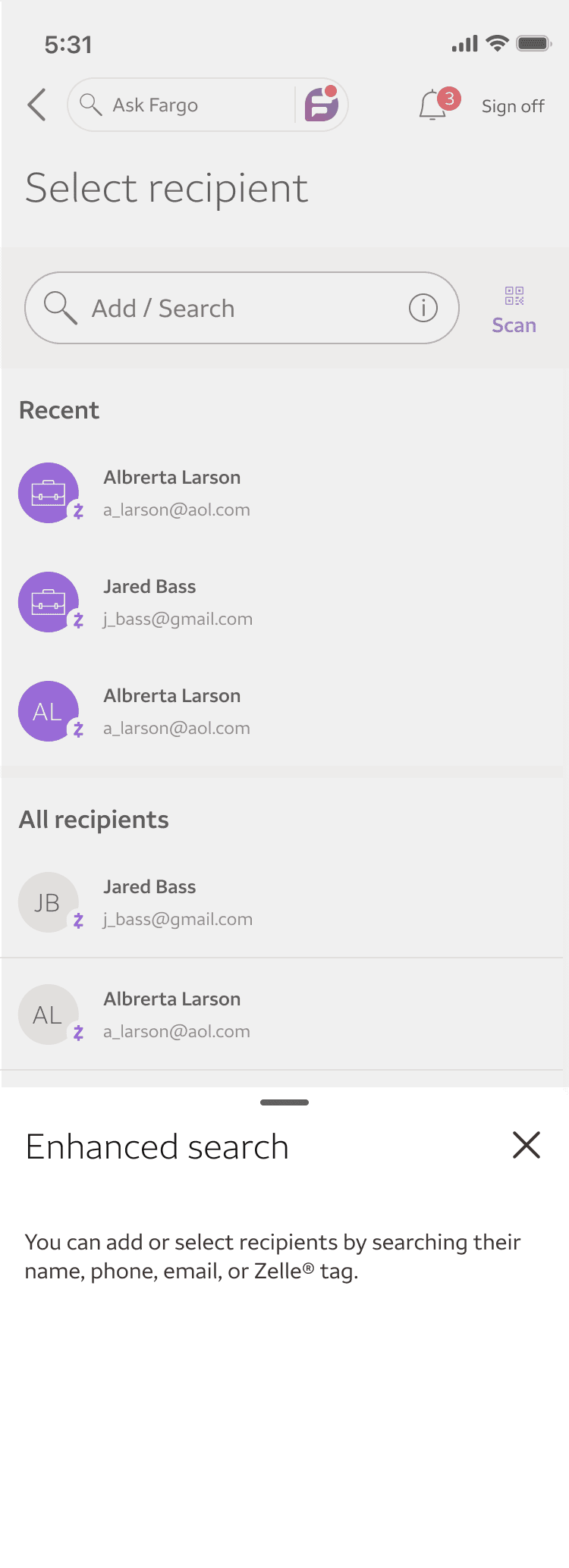
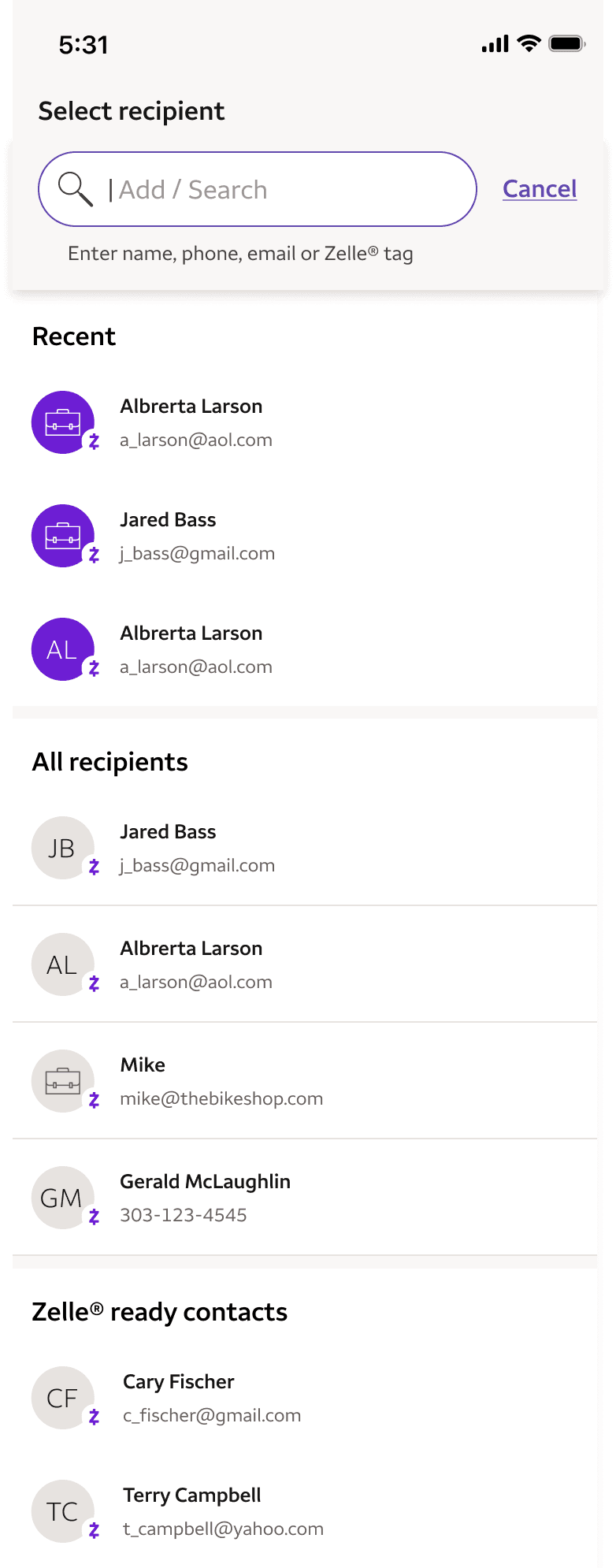
I used "Add / search" as the field label, leading with the less obvious action to signal expanded functionality. An info icon on the search bar brings up a contextual help bottom sheet. When the field is active, this guidance moves to inline subtext below the search bar, visible at the moment of action.
Auto-populating recipient details to remove a screen
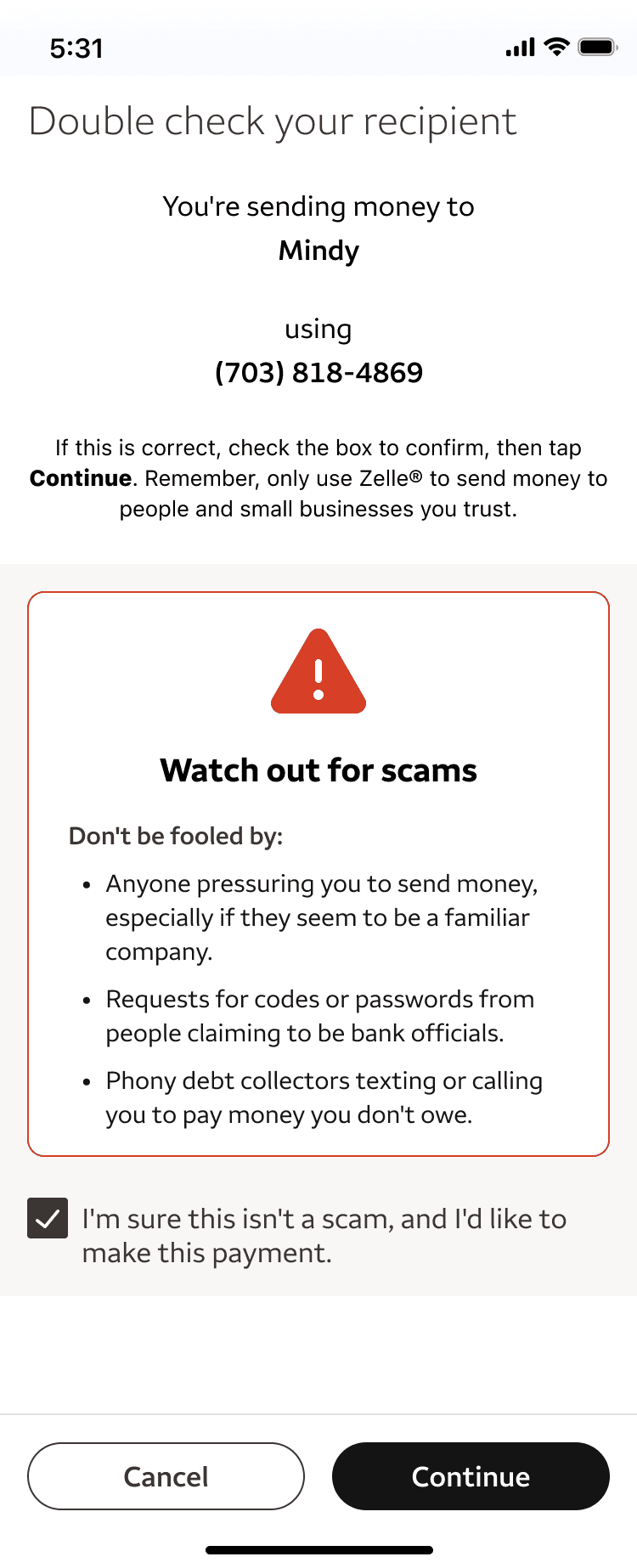
Adding a new recipient previously required navigating to a separate screen and manually filling multiple fields. The redesign enabled the search bar to add a new token that auto-populates the recipient name, bypassing the manual add screen entirely and removing an entire screen from the flow.
THE OUTCOME
Drop-offs decreased by 59% across the recipient selection flow and average task duration dropped from 33 seconds to 19 seconds. The unified search bar replaced a fragmented multi-page experience with a single entry point, and two screens were eliminated from the flow entirely.
© 2026 Brandon Fischetti