Launching Zelle scheduled and recurring payments
The scheduling and automation layer inside Zelle that lets Wells Fargo customers set up and manage one-time future-dated and recurring payments.
IMPACT
30M+
users gained scheduling capability
3
end-to-end flows designed
OVERVIEW
Problem
30M+ Zelle users had no way to schedule or automate payments, leaving recurring payments at risk of being late or missed entirely.
Users
Wells Fargo Zelle customers paying rent, sharing expenses, or regularly sending money to family or friends.
Primary goal
Close a major competitive gap.
Secondary goals
Build a content framework that can scale across recurring payments in other product flows and new Zelle features.
Constraints
No primary user research. Strict legal and compliance accuracy. Introduce new behavior without disrupting the existing send-money flow. Scale across products without rearchitecting.
MY ROLE
Owned end-to-end content
Wrote every string of content across setup, view, manage, skip, and cancel flows.
Influenced flow structure
Worked as a partner in design sessions to define where and how key information appears, not just what it said.
Aligned with Legal, Compliance, and EWS
Negotiated language that maintained accuracy without sacrificing clarity. Cleared every content decision through multiple reviews.
RESEARCH
Competitive landscape
Competitors like Chase already offered scheduled and recurring Zelle payments. But their flows buried key details across steps, surfaced information inconsistently, and gave no real-time feedback during setup.
Internal recurring payments
Wells Fargo customers already scheduled payments for credit cards, auto loans, and mortgages. The mental model and terminology existed, but a solution would need to fit within EWS requirements.
Fargo voice assistant
I pulled utterance data from
Fargo voice assistant research to understand how Wells Fargo customers naturally talked about scheduling. "Repeating" came up more than "recurring," which shaped the language I used.
How this shaped my work
I used competitors' gaps (overloaded screens, hidden details, no live feedback) as the baseline to beat. The goal was a content framework that improved on those shortcomings and scaled across Wells Fargo's other payment products without rearchitecting. Our solution would serve as the basis for future payments updates and the launch of Zelle's request recurring payment flow.
KEY DECISIONS
Adding screens to reduce friction
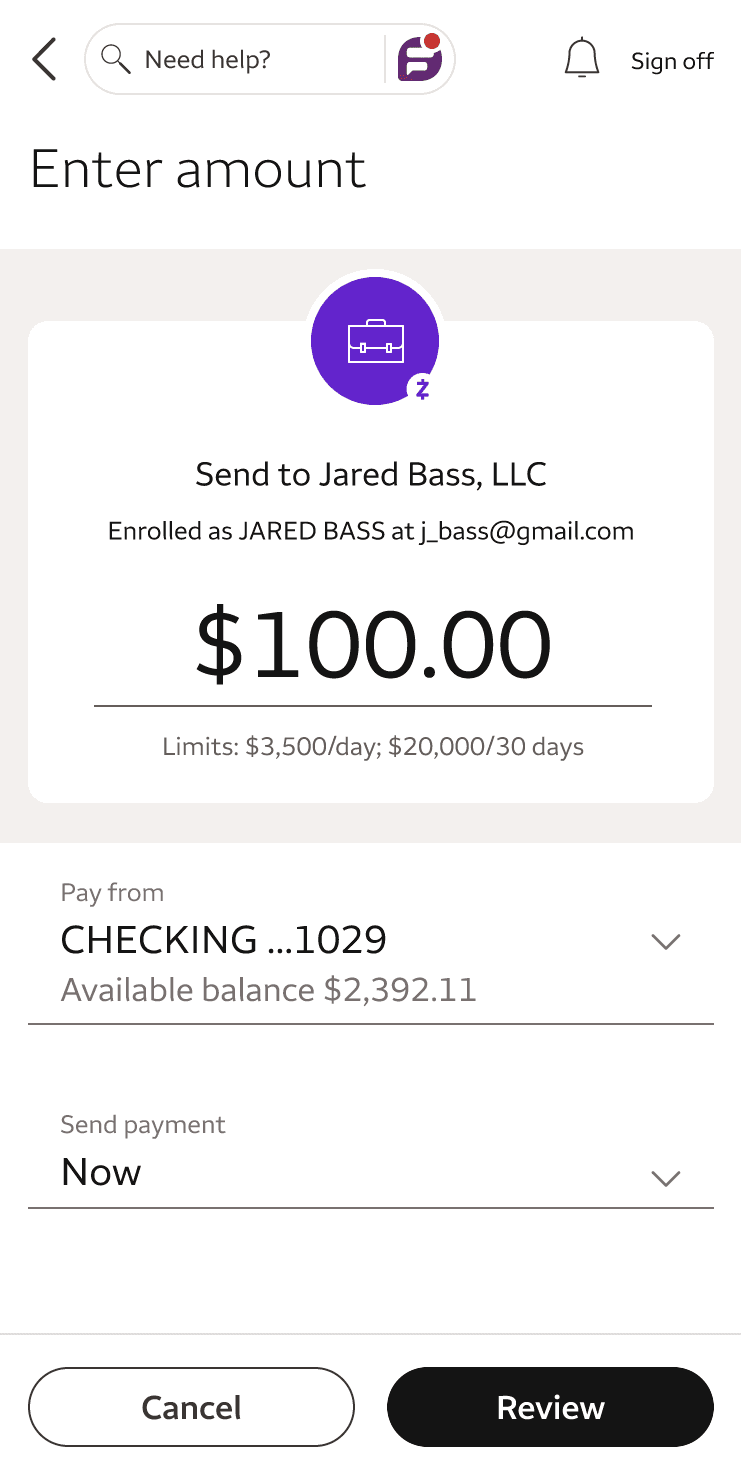
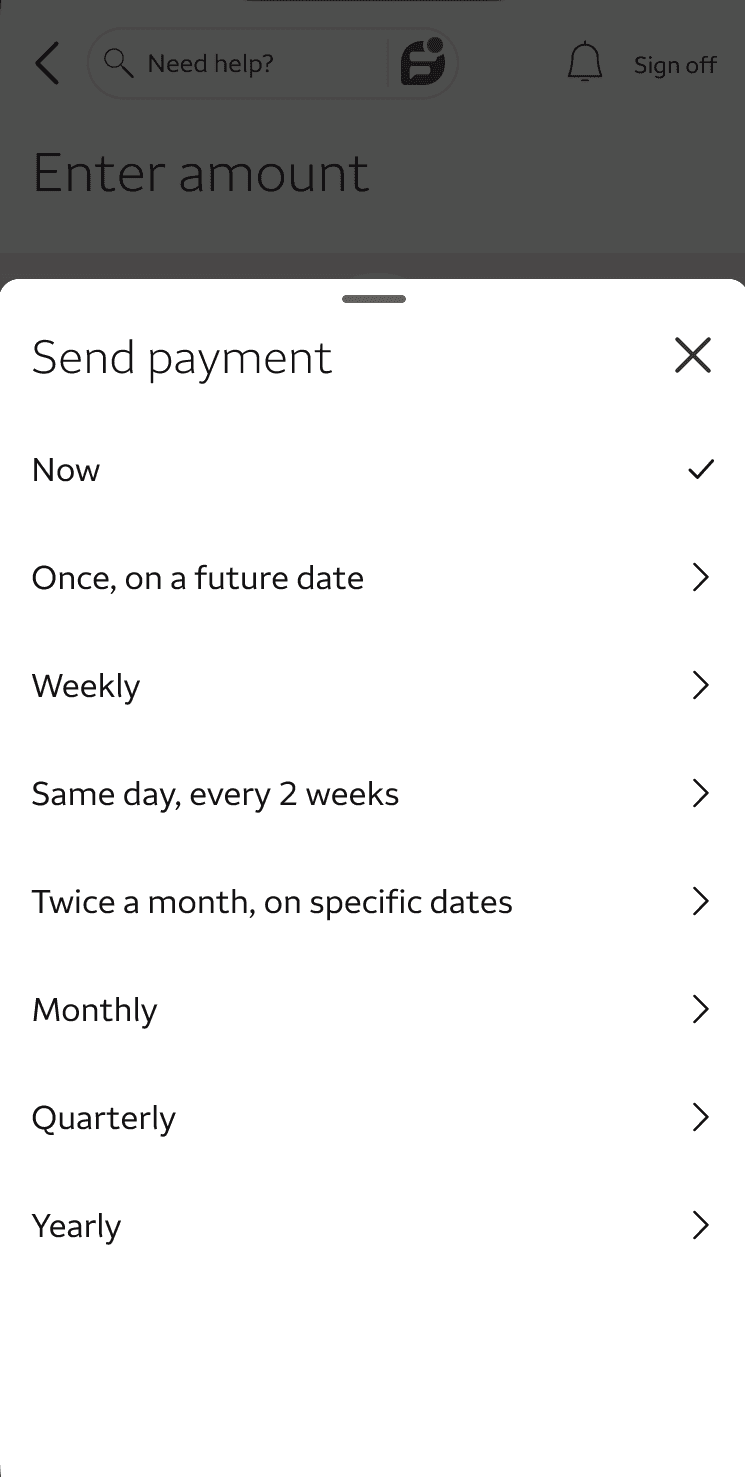
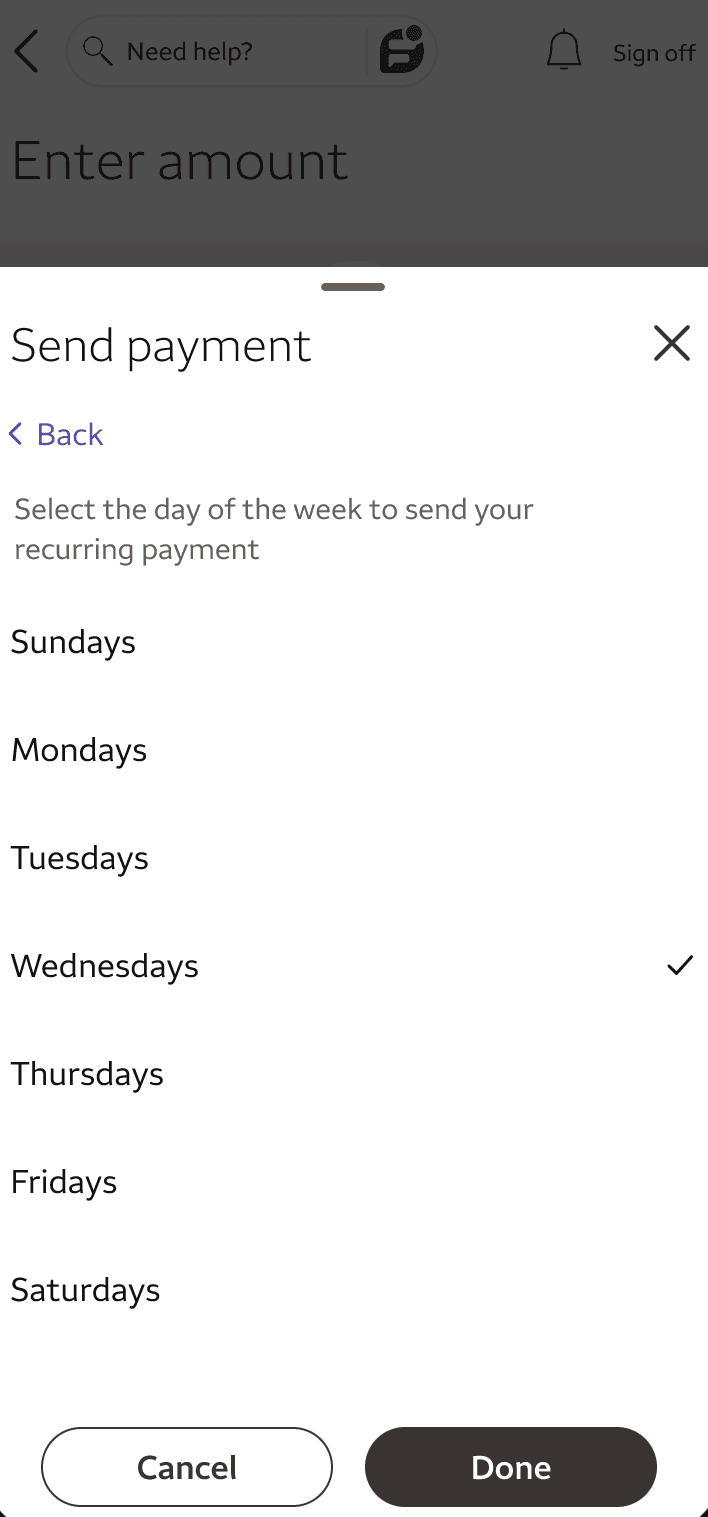
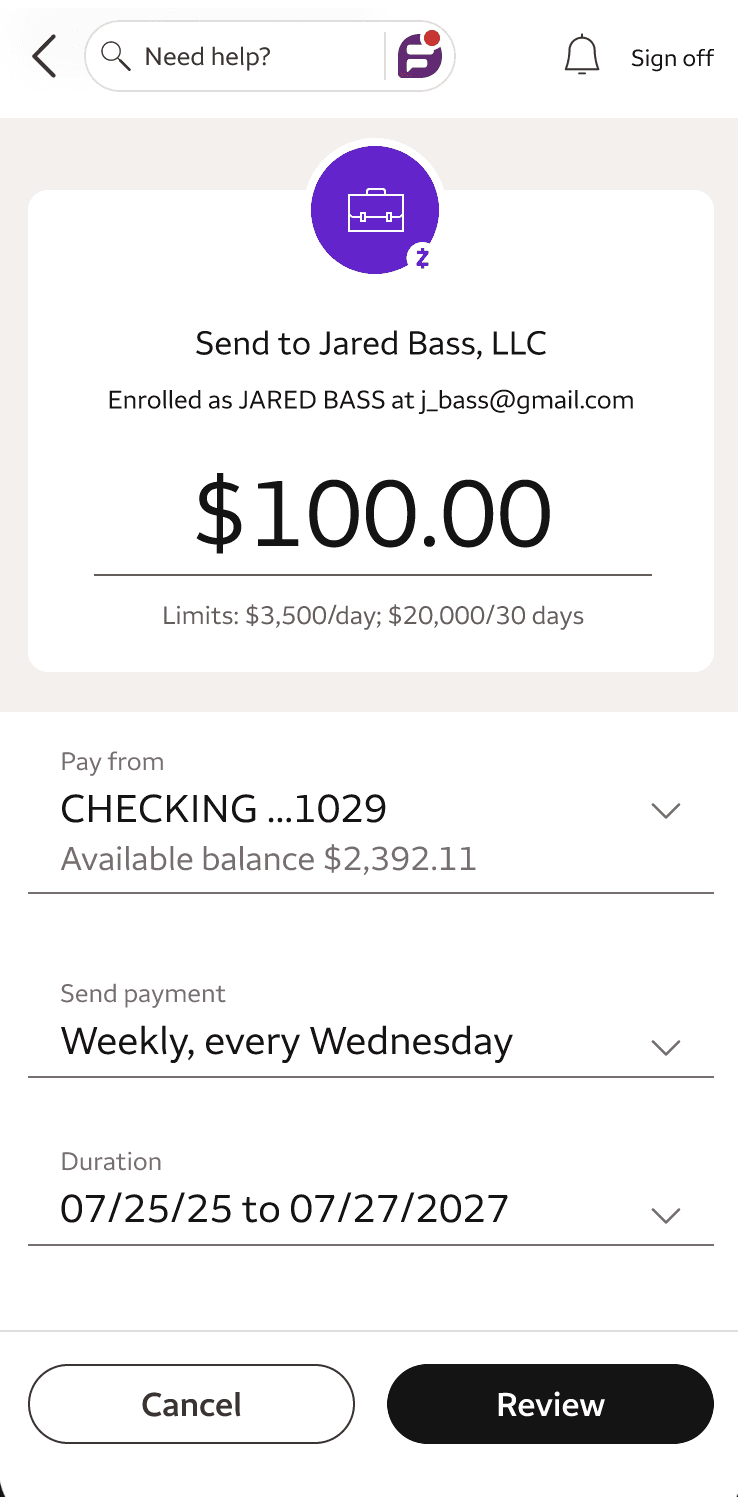
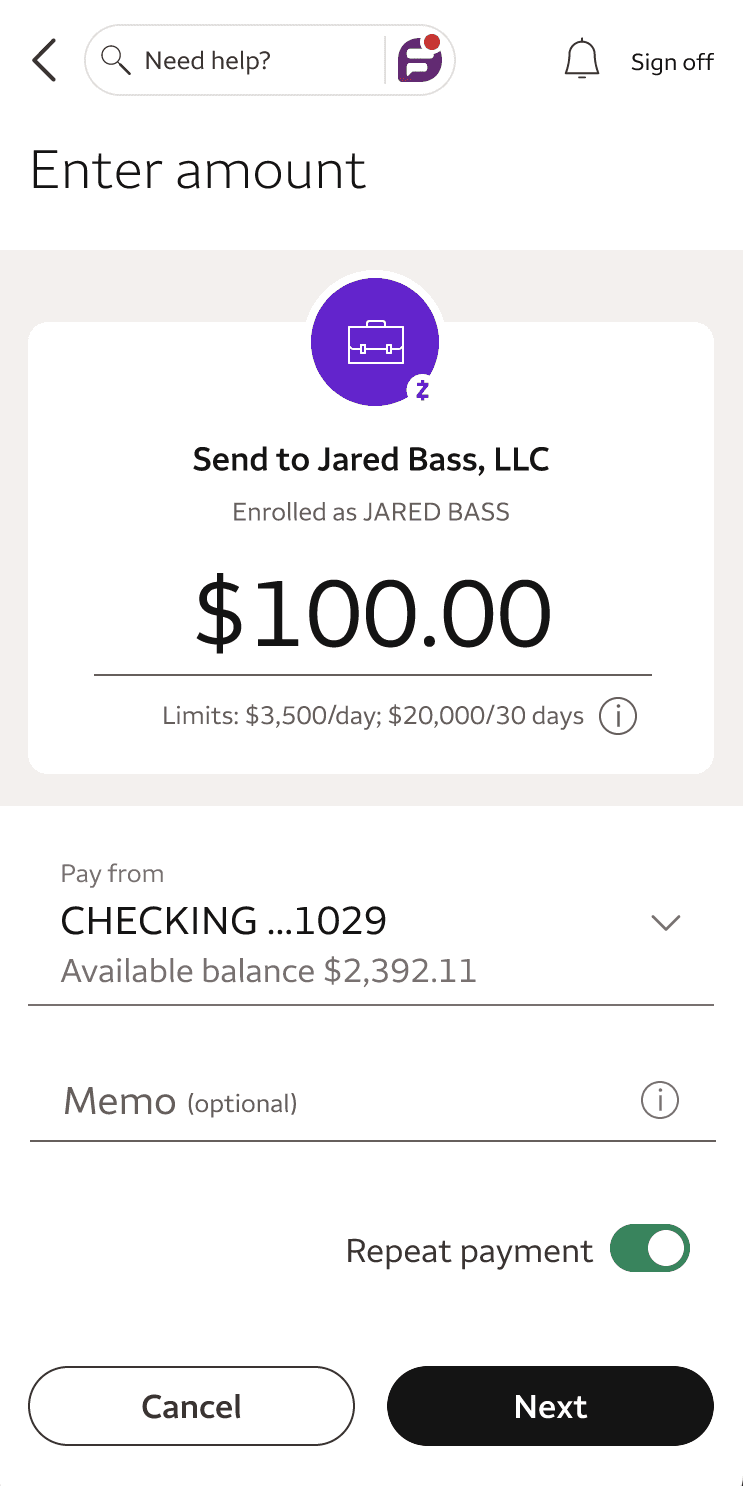
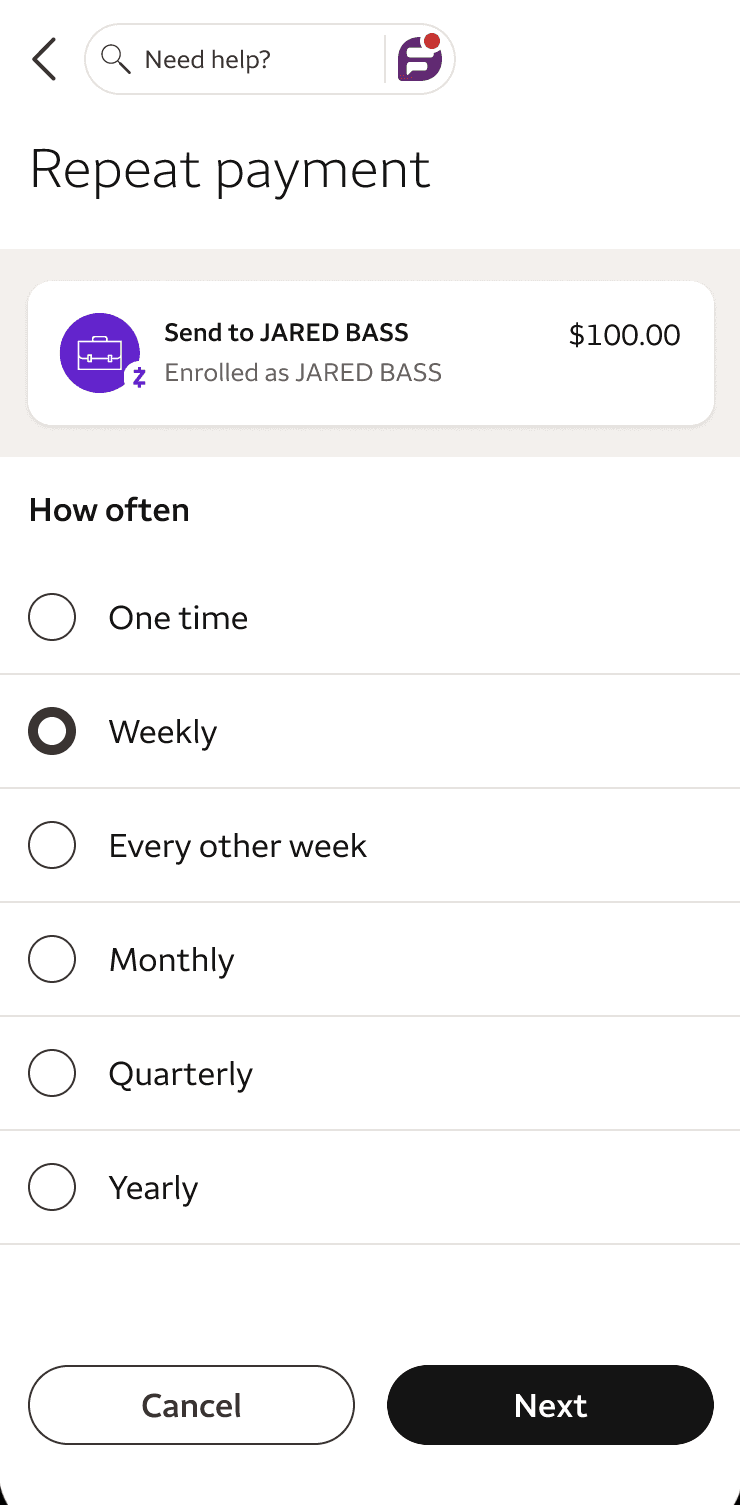
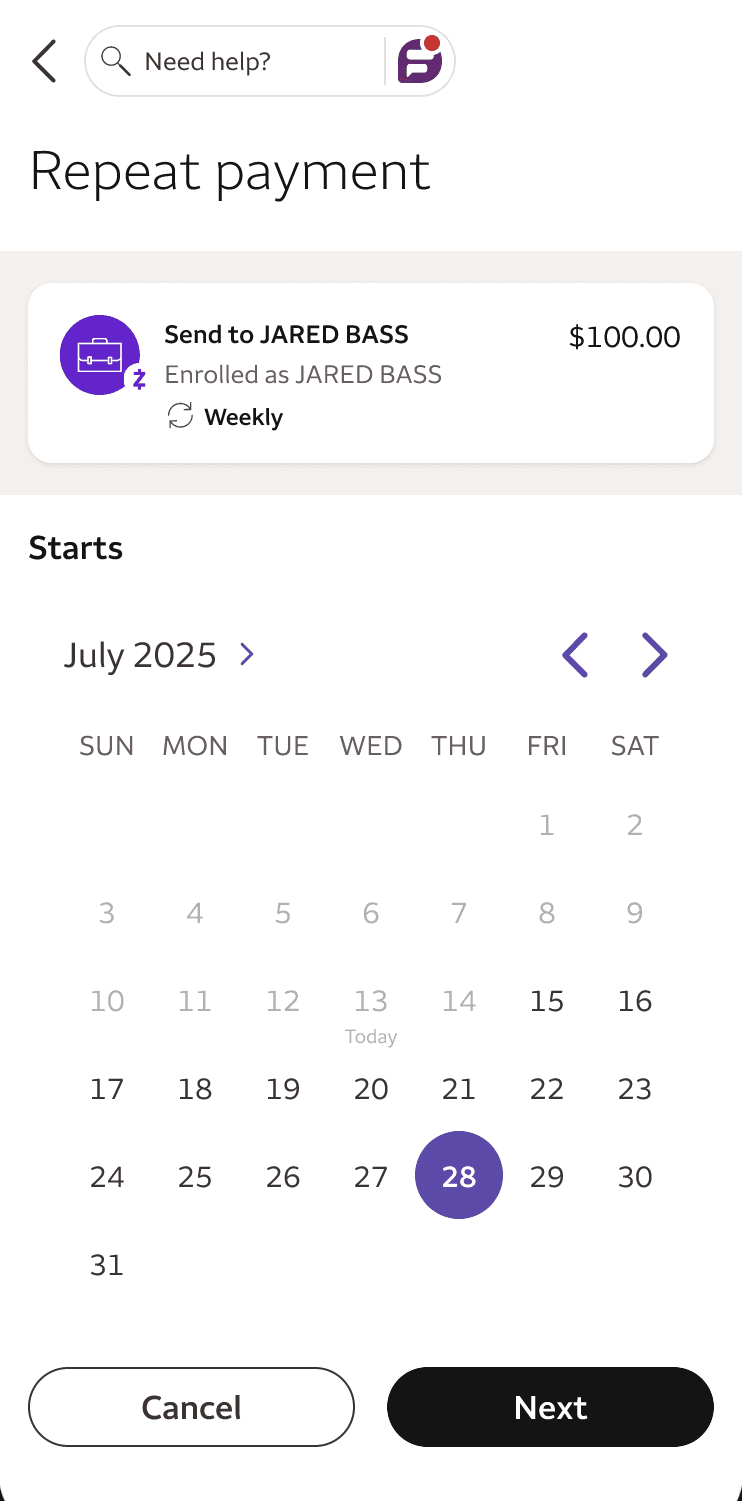
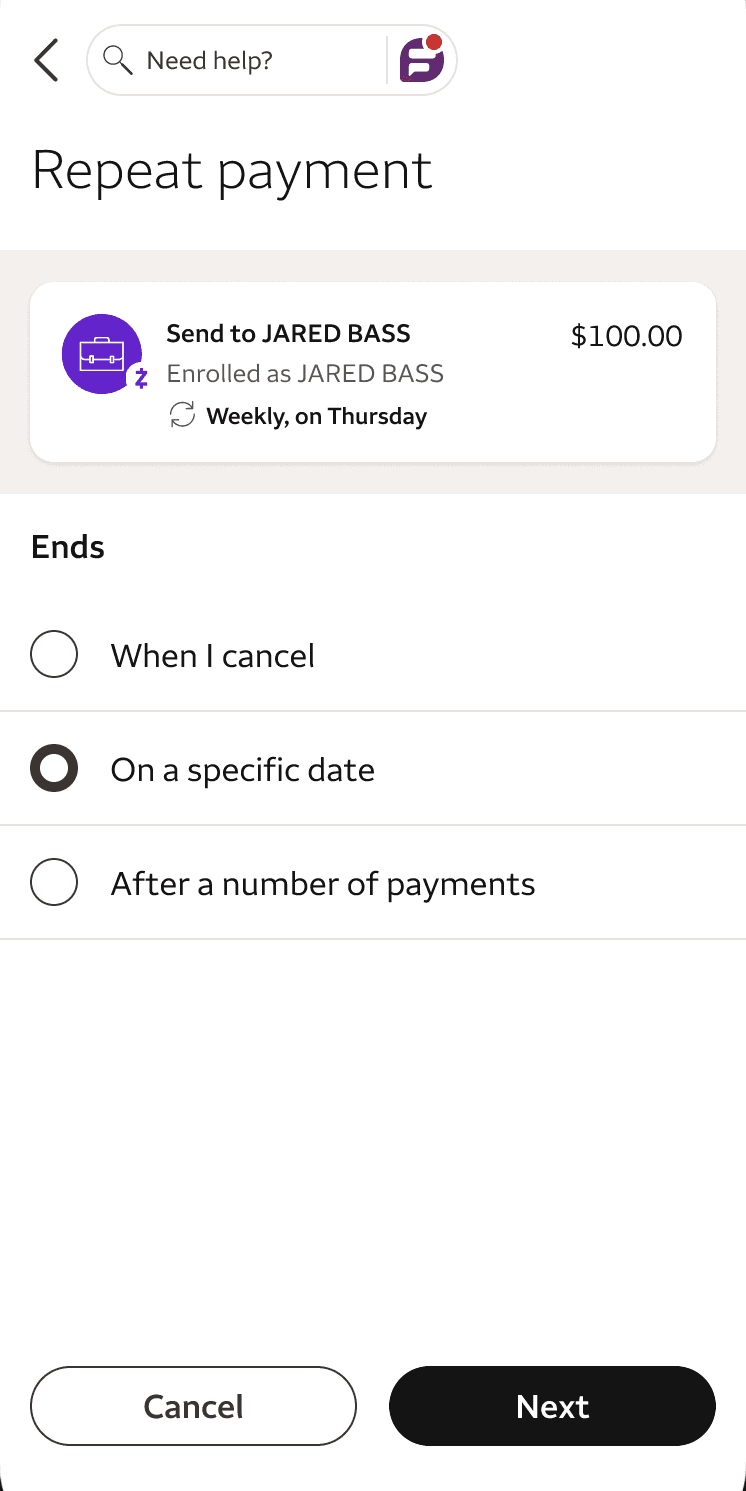
The first iteration ran the full setup flow on bottom sheets. With each one, the previous selection disappeared from view, so users wouldn't see frequency, timing, or duration details until the review screen. My solution introduced additional screens but kept the number of taps the same, and added a dynamic summary card that showed users the full scope of their payment as they set it up.
First iteration
Final design
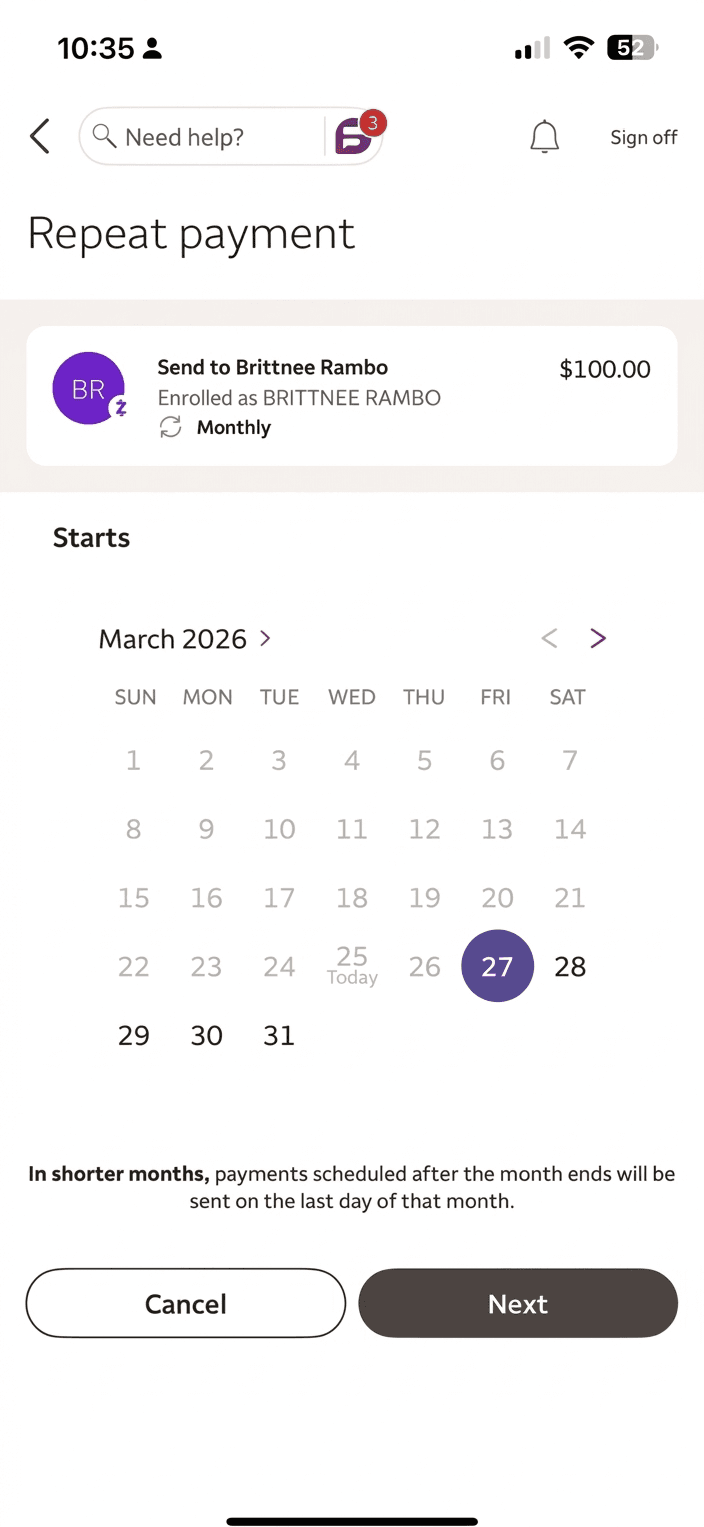
Dates that don't exist every month
A user scheduling monthly on the 31st needed guidance on what would happen in months that had fewer days. I added a content string to the date picker explaining that payments would send on the last available day in shorter months, closing a potential gap before it became one.
Repeating over recurring
While my own preference would have been "recurring," I leaned on the data from our Fargo research and opted for the terminology the majority of our customers were already using. "Repeat payment" became both the toggle label that enabled recurring payments and the h1 for the full setup flow.
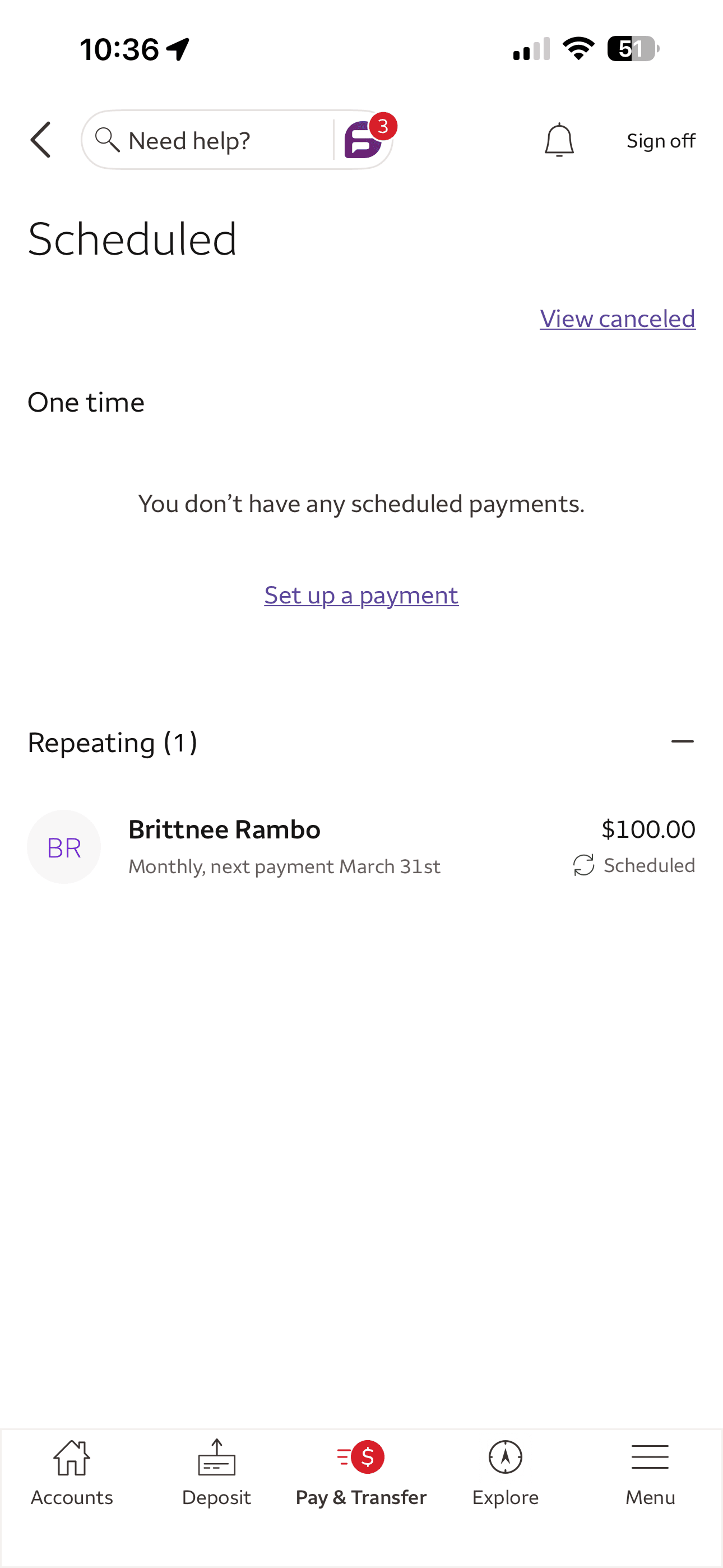
Inline descriptions that eliminate extra taps
The Scheduled screen split payments into collapsible one-time and repeating sections. Under each recurring entry, I wrote single-line descriptions to display frequency, next date, amount, and a recurring icon.
Separating skip from cancel
These two flows share an entry point but do very different things. Skip cancels the next single payment; cancel kills the entire series. Without context, users could accidentally cancel an entire series. I used a bottom sheet with two rows as tap targets, each with subtext that made the scope of the action unmistakable.
THE OUTCOME
30M+ Zelle users can now schedule one-time and recurring payments, then view, manage, skip, or cancel them from a single screen. This closed a major competitive gap and eliminated the manual effort that left payments at risk of being late or missed. The content framework we built is already scaling. It served as the foundation for the upcoming launch of Zelle's request recurring payment flow, and is positioned to shape the next generation of Wells Fargo recurring payment flows.
© 2026 Brandon Fischetti